Handy Taildrop Scripts
2026-09-29
I'm looking for work! (click to expand)
If you have questions or thoughts on the post I'd love to hear about it! I'm currently looking for work in the northeastern US. I'll be graduating with a BS in both Computer Science and Cyber Operations at the end of the school year. I have worked in web application development and Java, and I have experience in Rust, C++, Python, and various other languages. If you're curious about what I've done in the past, I keep up a short list of projects here or contact me to give me a place to send my resume. I figure anyone who reads my posts will have an interesting offer, so all leads are appreciated!
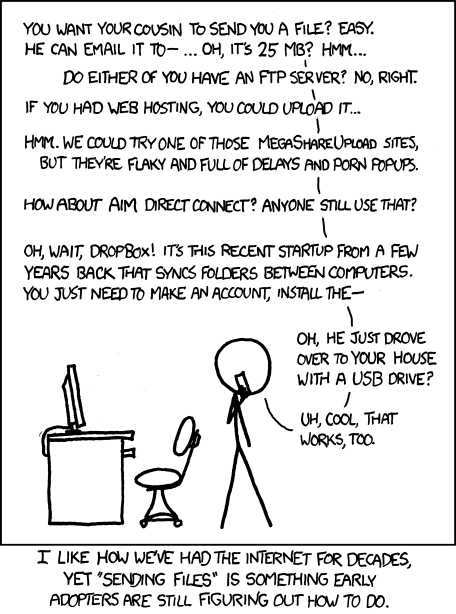
Yesterday, I found out about Tailscale's Taildrop. This feature is literally the solution to the classical internet problem of xkcd 949.
I wish I had picked up on it sooner, because I would be using it all over the place. My tailnet includes all of my personal machines and my phone[1], so I can really take advantage of this. How much time could've been saved waiting for Google Drive to sync from my phone if I knew about this sooner! If you are working with Android it's nearly seamless.
Unfortunately, the user experience is not quite as awesome as it could be on Linux. On Linux, everything needs to go through the CLI, which has a slightly awkward interface. Getting files onto your computer is tailscale file get <location>, and sending them is tailscale file cp <file> <destination>:. The issue is, that's a lot of typing for something that's supposed to be really quick and easy. Given this is an alpha feature though, I don't mind too much. I suspect if this feature ever graduates beyond alpha, the interface will be improved.
So what does one do in the meantime? Script around it! Here's my script for recieving files, which I call tailget.
#!/bin/bash

# Workaround for https://github.com/tailscale/tailscale/issues/18294
CURRENT_OP=$(tailscale debug prefs | jq '.OperatorUser' | sed 's/"//g')
if [ $CURRENT_OP = "null" ]; then
  sudo tailscale set --operator=$USER
fi

DOWNLOAD_FOLDER="."
if [ -v 1 ]; then
  DOWNLOAD_FOLDER="$1"
fi

tailscale file get --verbose --wait "$DOWNLOAD_FOLDER"
One can remove the --wait if you always run this command after starting to send something from another device. You can use the script via a simple tailget to download into the current directory or you can specify a location like tailget ~/Downloads. Super easy.
Of course, I couldn't help but make one for sending files too. The main annoyance I have with the default syntax is having to remember what I named each device on my tailnet. Piping the available devices through fzf works like a charm. Even better, one could add a grep in between the tailscale and awk calls to exclude offline devices. Given my laptop technically goes offline when I close it, I didn't feel the need to. I call this one tailsend for easy access.
#!/bin/bash

# Workaround for https://github.com/tailscale/tailscale/issues/18294
CURRENT_OP=$(tailscale debug prefs | jq '.OperatorUser' | sed 's/"//g')
if [ $CURRENT_OP = "null" ]; then
  sudo tailscale set --operator=$USER
fi

FILE="$1"
TO="$(tailscale status | awk '{ print $2 }' | fzf):"

tailscale file cp --verbose "$FILE" "$TO"
The usage for this one is also very simple. tailsend <file> to send a file and it'll pop up the chooser for you.
All in all, I'm very glad Tailscale can do this, even if it's a little awkward on Linux at the moment. I hope to see further improvements to this feature!
P.S.: Tailscale Developers
A few things I noticed for any Tailscale developers who happen to read this:
-
The Android app doesn't have a notification pop-up if the transfer fails because no destination folder is selected in the app settings. This was really confusing for a little while.
-
The Android app does not give notifications when something has been taildropped[2] to you. The docs make it seem like this should be the case, so a fix would be greatly appreciated!
-
The verbose output on the Linux CLI is a little ugly. A few newlines and a little bit of elbow grease would go a long way. Given that Tailscale is open source, I might look into this and contribute if I can!